





 Microsoft Fabric
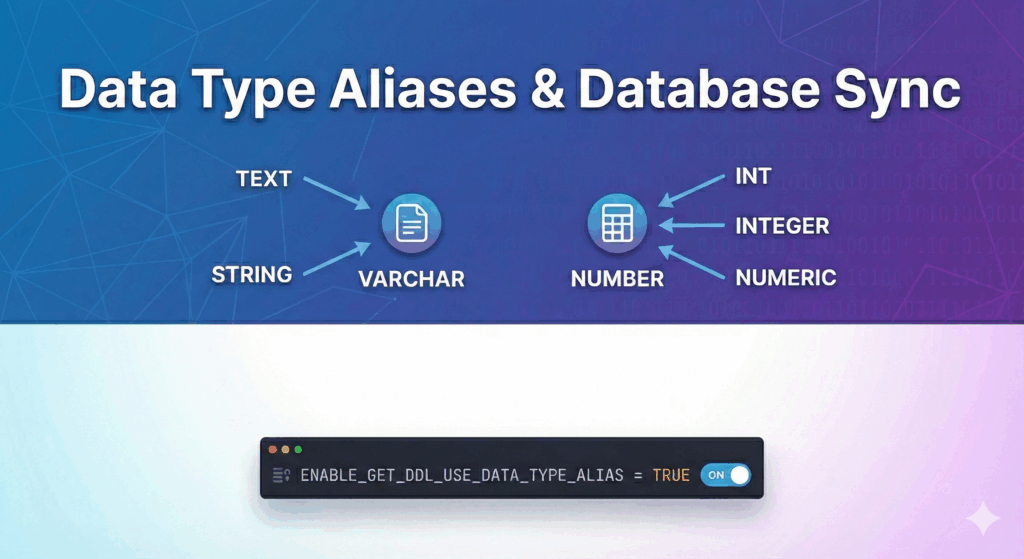
In the diverse ecosystem of relational databases, data type aliases are a common yet valuable feature. Simply put, an alias, also known as a synonym, is another name for a foundational system data type. For example, INTEGER might be the default system type, and aliases may include INT and INT4 (as in Postgres).
Here are examples of aliases from other databases:
Default: NUMBER
Aliases:
(With precision) DECIMAL, NUMERIC
(Without precision) INT, INTEGER, BIGINT, SMALLINT, TINYINT, BYTEINT
Default: INT64
Aliases: INT, SMALLINT, INTEGER, BIGINT, TINYINT, BYTEINT
While nearly every major database platform supports some level of aliasing, its utility goes beyond mere syntactic preference. Aliases often play a vital role in technical strategy.
The Utility of Aliases
Data type aliases are essential for maintaining agility and integrity in your data architecture:
- Simplified migrations: When moving data between platforms with different naming conventions (e.g., Postgres to Snowflake), aliases allow you to map incoming schemas to native types without complex transformation logic.
- Data model integrity: Aliases allow teams to enforce standardized naming conventions in their logical models that align with the business domain language, rather than being forced to use the rigid syntax of a specific physical database.
SqlDBM recognizes this necessity and natively supports aliases and synonyms for all our databases, ensuring that your diagrams accurately reflect the flexibility of your physical DDL.
Synchronization Options in Snowflake
A common challenge for data engineers, however, is keeping the idealized data model in perfect sync with the physical database. Most databases “normalize” aliased data types into the system defaults during deployment. For example, you might create a table with a STRING column, but the generated DDL returns VARCHAR(16777216).
This creates drift between your model definition and the actual database state.
Snowflake has addressed this directly with a specific parameter designed for high-fidelity DDL generation.
ENABLE_GET_DDL_USE_DATA_TYPE_ALIAS
Snowflake provides an account or session-level parameter that controls how data types are rendered when you use the GET_DDL function.
By default, Snowflake behaves like most databases, converting aliases to their underlying base types. However, by enabling the “use data type alias” parameter, you can force Snowflake to preserve your original intent.
ALTER SESSION SET ENABLE_GET_DDL_USE_DATA_TYPE_ALIAS = TRUE;
When this parameter is enabled, if you define a column as STRING, the GET_DDL output will respect that choice and return STRING, rather than converting it to the underlying VARCHAR default.
For full technical details on implementing this parameter, refer to the official Snowflake documentation.
Conclusion
Whether your database supports preserving aliases in the physical model, knowing the supported data types and their synonyms is always handy for reading and validating SQL. During a migration, aliases can help preserve data model integrity and ensure a one-to-one mapping in a lift-and-shift scenario.
Snowflake users can take advantage of a system parameter to enable saving aliases specified in the original DDL. This feature is ideal for teams demanding perfect synchronization between their modeled DDL and physical implementation, ensuring that automated deployment pipelines and schema comparison tools run smoothly without flagging false positives due to alias conversion.