


SqlDBM + AWS CodeCommit
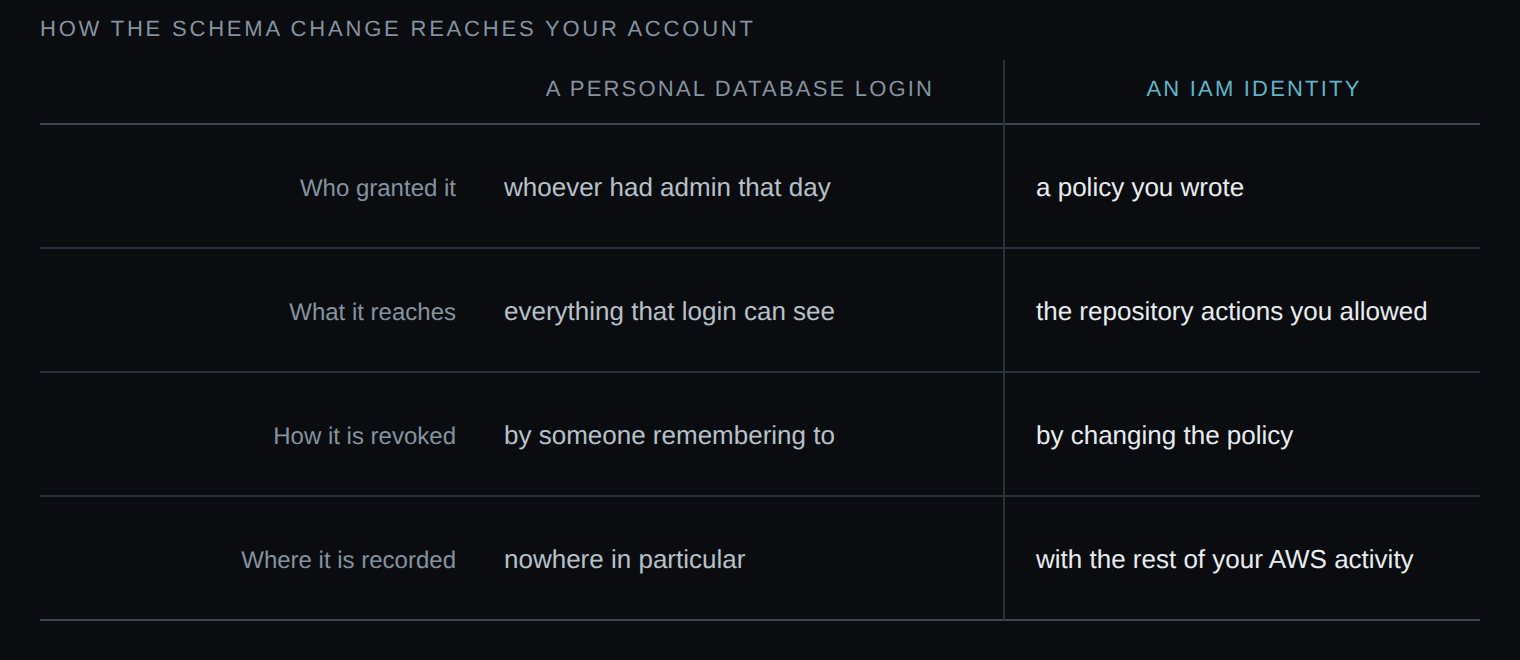
Schema changes reach your account as commits made by an IAM identity you control — not by a database login sitting in somebody’s password manager.
THE PROBLEM
Every other change in your account is governed by a policy
In AWS you decide who can read which bucket, who can start which job, who can touch production. It’s written down, reviewed, and revoked centrally. Then there’s the database schema, which gets altered by whoever holds a warehouse login — an account no policy describes, that nothing expires, and that leaves when the person does, if anyone remembers.
- No policy describes it. Nothing written down says who may alter a table, because the permission lives in the database rather than in IAM.
- It doesn’t expire. A warehouse login keeps working long after the project that needed it ended.
- It leaves with the person. Or it doesn’t, which is the worse of the two.
THE DIFFERENCE
A credential your policy actually covers
SqlDBM connects to CodeCommit with an IAM user’s access key, not a database password. Generated DDL and dbt YAML arrive as commits — or pull requests — authored by that identity, scoped by the policy you attached to it, and limited to the repositories in its organization. What happens next is your pipeline’s business: CodeBuild, CodeDeploy, CodePipeline, whatever you already run.
IN CODECOMMIT
The author column tells you who
Pull requests SqlDBM opens are authored by the IAM user you configured, and named for the project and revision they carry. Anyone with access to the repository can see which identity made the change — not a shared account, not an anonymous push, and not somebody’s personal warehouse credentials.
showing the Author column
Connecting AWS CodeCommit
1
Create an IAM user with programmatic access
Under Access Management → Users, create a user with programmatic access selected, and attach a policy granting read and write on the repositories it needs.
2
Copy both keys
Take the Access Key ID and the Secret Access Key when they’re shown. AWS won’t display the secret again.
3
Add the connection in SqlDBM
On the User Connections page, choose AWS CodeCommit and enter both keys.
4
Point it at a repository
Initialise a repository with at least one file on main, copy its HTTPS URL and give it to SqlDBM. You can only link repositories in the organization the secret key belongs to. Choose whether pushes open a pull request or commit directly.
If you rotate the access key, update it in User Connections or the connection stops working.
THE PAYOFF
What your security team gets
A credential with a policy
Access is described by an IAM policy you wrote, reviewed and can change, rather than by a database grant nobody documented.
Revocation that works
Detach the policy or delete the key and the connection stops. There’s no second place to remember.
An author on every change
Commits carry the identity that made them, so the repository answers who as well as what.
One less standing credential
Nobody needs a personal warehouse login in order to get a schema change reviewed.
Related Integrations
Azure DevOps
The equivalent for teams building on Azure.
GitHub
The same push workflow, outside AWS.
dbt
Source and model YAML over the same connection.
IAM user setup, key handling and repository limits, in full.
Trusted by data teams globally
400,000+ users globally