


SqlDBM + GitHub
Version your data model the way you version your code. DDL and dbt YAML push straight to your GitHub repository, ready for review.
THE PROBLEM
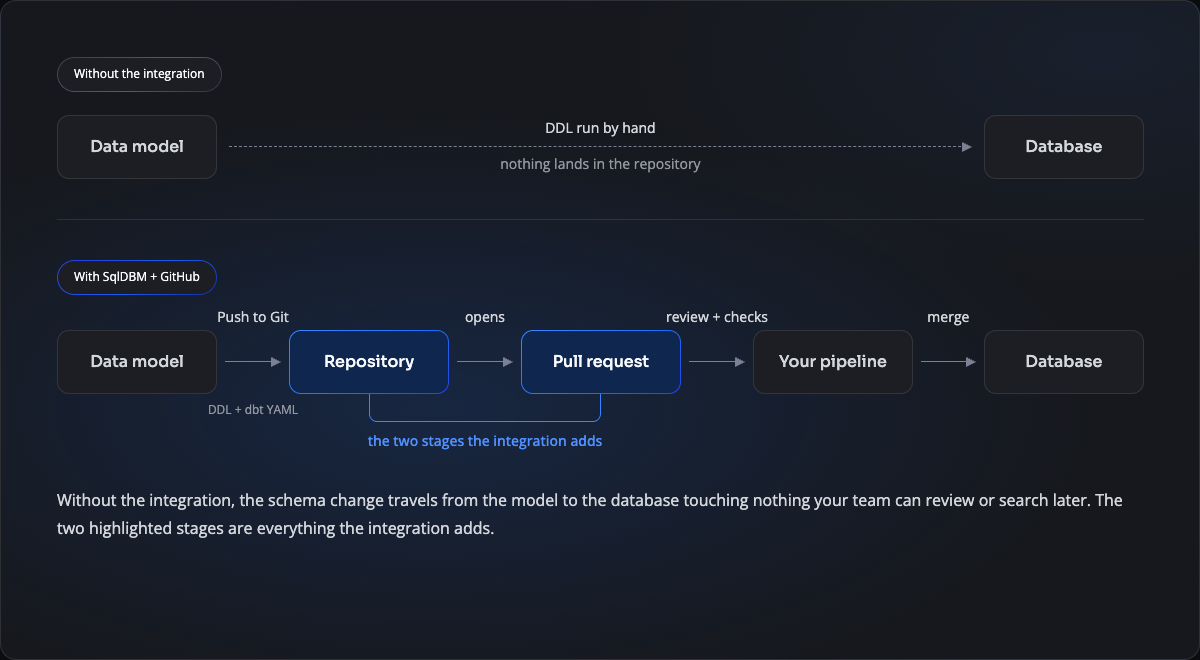
Schema changes are the one thing that skips code review
Application code has a path everyone trusts: a branch, a pull request, a reviewer, a merge. Database changes rarely get the same treatment — a DDL script gets pasted into a ticket, or a Slack thread, or run straight against the warehouse by whoever holds the credentials. The change ships, and the repository never learns it happened.
- Nobody reviewed it. The person who wrote the DDL is usually the only one who read it.
- Nothing to search later. “When did this column change, and why” has no answer in the repo.
- Two sources of truth. The model and the deployed schema drift, and nobody’s sure which is right.
THE PATH
Schema takes the route everything else already takes
Generated DDL and dbt YAML leave SqlDBM as a commit, open a pull request against your main branch, and pass through whatever review and checks you already run before anything reaches the database. The same button sits on the Forward Engineering and DataOps screens, so a first build and an incremental alter follow the identical path.
WHAT REVIEWERS SEE
A diff, not a diagram
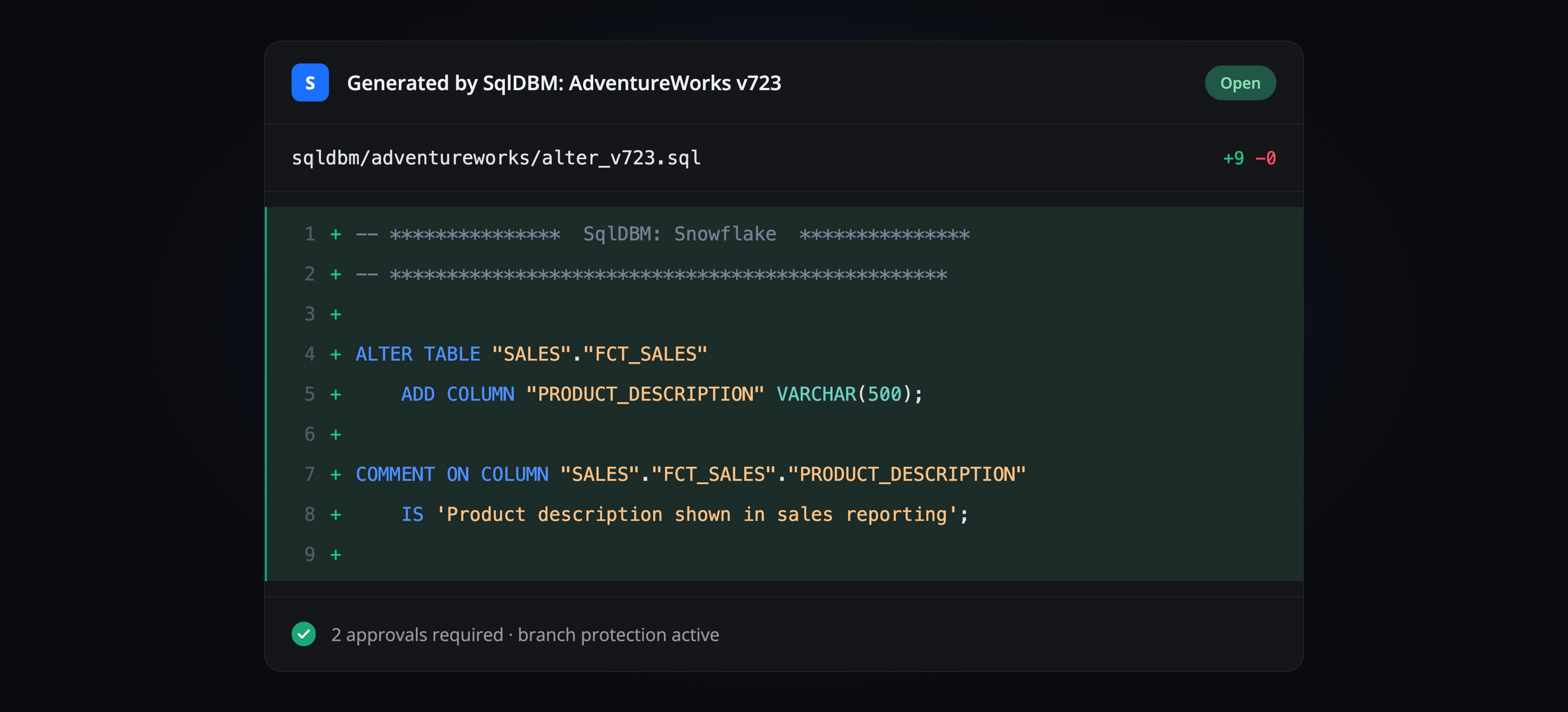
The pull request holds the generated SQL, line by line. Anyone with access to the repository can read exactly which columns are being added, dropped or retyped — no SqlDBM seat needed, and no credentials to the warehouse. The people who review your application code can review the schema it depends on.
Connected in four steps
1
Create a personal access token
In GitHub, under Developer settings, generate a token with read and write access to the repository. Copy it when it appears — GitHub won’t show it again.
2
Add the connection in SqlDBM
On the User Connections page, choose GitHub and paste the token.
3
Point it at a repository
Paste the repository’s HTTPS URL. A new repository needs at least one file on its main branch, so initialise it with a README first. Choose whether pushes open a pull request or commit directly.
4
Push
Generate scripts on Forward Engineering or DataOps and select Push to Git. Commits land on the branch you chose; pull requests appear under Pull requests.
THE PAYOFF
What your team stops doing
Review before deploy
Every schema change gets the same scrutiny as application code, because it arrives through the same door.
One definition, not two
The model and the repository stay in step, so there’s no argument about which one is current.
Your branch protection already applies
There’s no new approval system to configure. The rules on the repository govern schema changes from the first push.
A history you can search
git log answers what used to require asking around. Every change is a commit with an author and a date.
Related Integrations
GitLab
Same workflow, merge requests instead of pull requests.
Azure DevOps
For teams whose pipeline already lives in Azure.
dbt
Push source and model YAML over the same connection.
Token scopes, branch behaviour and troubleshooting, step by step.
Trusted by data teams globally
400,000+ users globally