


SqlDBM + GitLab
Everything else in your stack is defined as code and shipped through a pipeline. This is how the data model joins them.
THE PROBLEM
Everything ships through the pipeline except the database
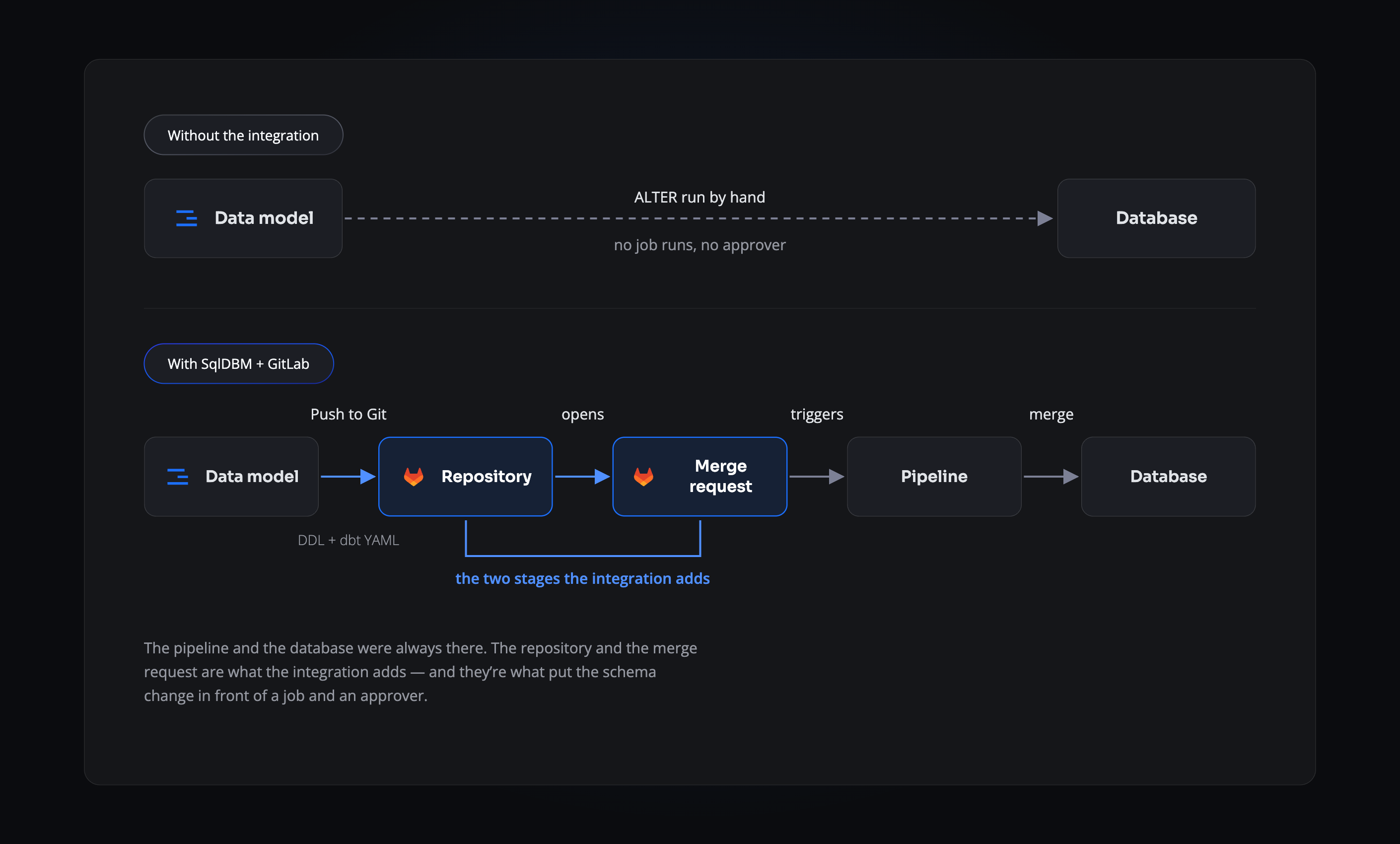
GitLab teams have spent years getting to one place: infrastructure declared in a repository, configuration under version control, and a pipeline that builds, tests and deploys on every merge request. Then there’s the schema. Someone writes an ALTER, someone else runs it during a maintenance window, and the change most likely to break production is the only one that never ran a job.
- No job ever runs. Every other change triggers a pipeline. A schema change triggers nothing.
- Approval rules stop at the database. Every merge request has required approvers. The script that reshapes production has none.
- Defined nowhere durable. Infrastructure, configuration and application logic all live in the repository. The schema they depend on lives only in the database.
THE PATH
The schema joins the pipeline it was always missing from
SqlDBM commits the generated DDL and dbt YAML to the branch you name and opens a merge request against main. From there it’s an ordinary change: your .gitlab-ci.yml runs against it, your approval rules apply to it, and nothing reaches the database until both are satisfied. The same path serves a first build from Forward Engineering and an incremental alter from DataOps.
ON EVERY MERGE REQUEST
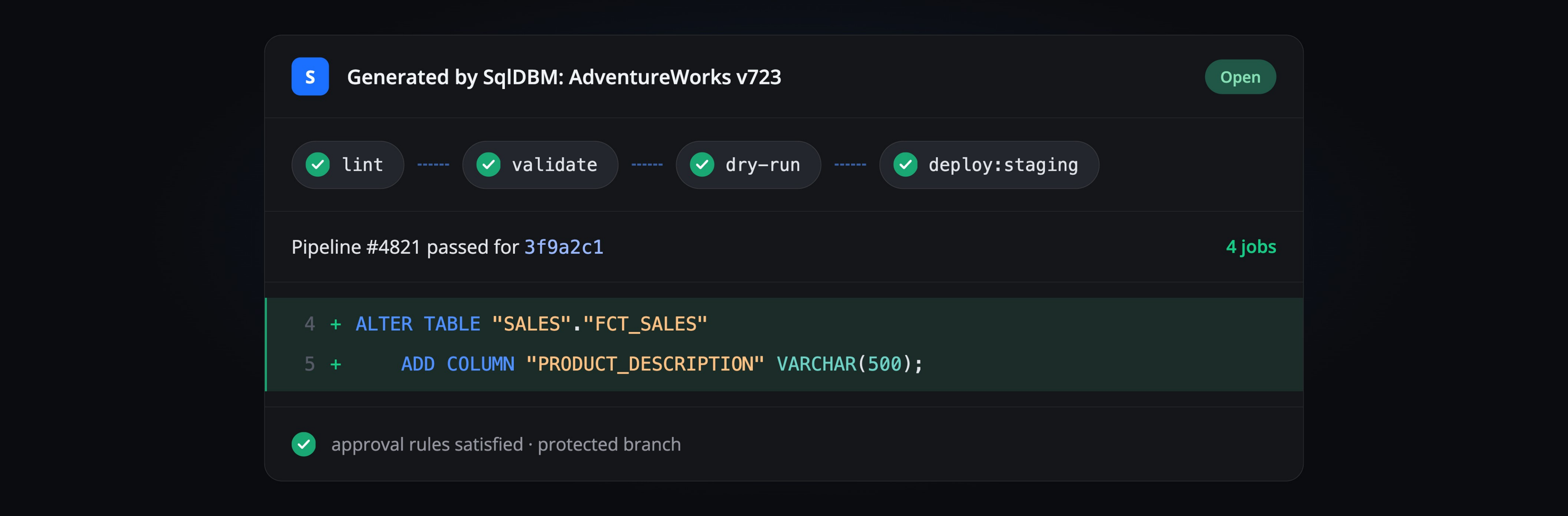
Your jobs run against the schema
The merge request shows its pipeline the way any other does — stages, jobs, pass or fail — except the change being tested is a table definition. A failing job blocks the schema exactly as it blocks code, and nobody had to build a separate gate to make that true.
Connecting SqlDBM to GitLab
1
Create a personal access token
In GitLab, create a personal access token with read and write access, held by a user with the Developer role or above. GitLab displays it once, so copy it immediately.
2
Add the connection
In SqlDBM under User Connections, choose GitLab and paste the token.
3
Name the repository
Give SqlDBM the repository’s HTTPS URL. It needs at least one file on the main branch already, so initialise it with a README if it’s new.
4
Choose how pushes arrive
Decide whether SqlDBM opens a merge request or commits directly. Commits appear under Code → Commits; merge requests under Merge requests.
THE PAYOFF
What the pipeline picks up
Schema gets a test stage
Whatever your pipeline runs on a merge request now runs for database changes too, instead of the schema being the one thing shipped untested.
Reviewers don’t need database access
The change is readable as a diff in GitLab, so reviewing it no longer means handing somebody credentials to production.
One permission model
Protected branches and approval rules cover schema exactly as they cover code, and no second system decides who may change what.
The repository knows
Infrastructure, application and schema share one history, so the state of the system is described in a single place.
Related Integrations
GitHub
The same push workflow, with pull requests.
Azure DevOps
For teams running Pipelines rather than GitLab CI.
dbt
Source and model YAML over the same connection.
Token roles, branch behaviour and troubleshooting, in full.
Trusted by data teams globally
400,000+ users globally