


SqlDBM + Jira
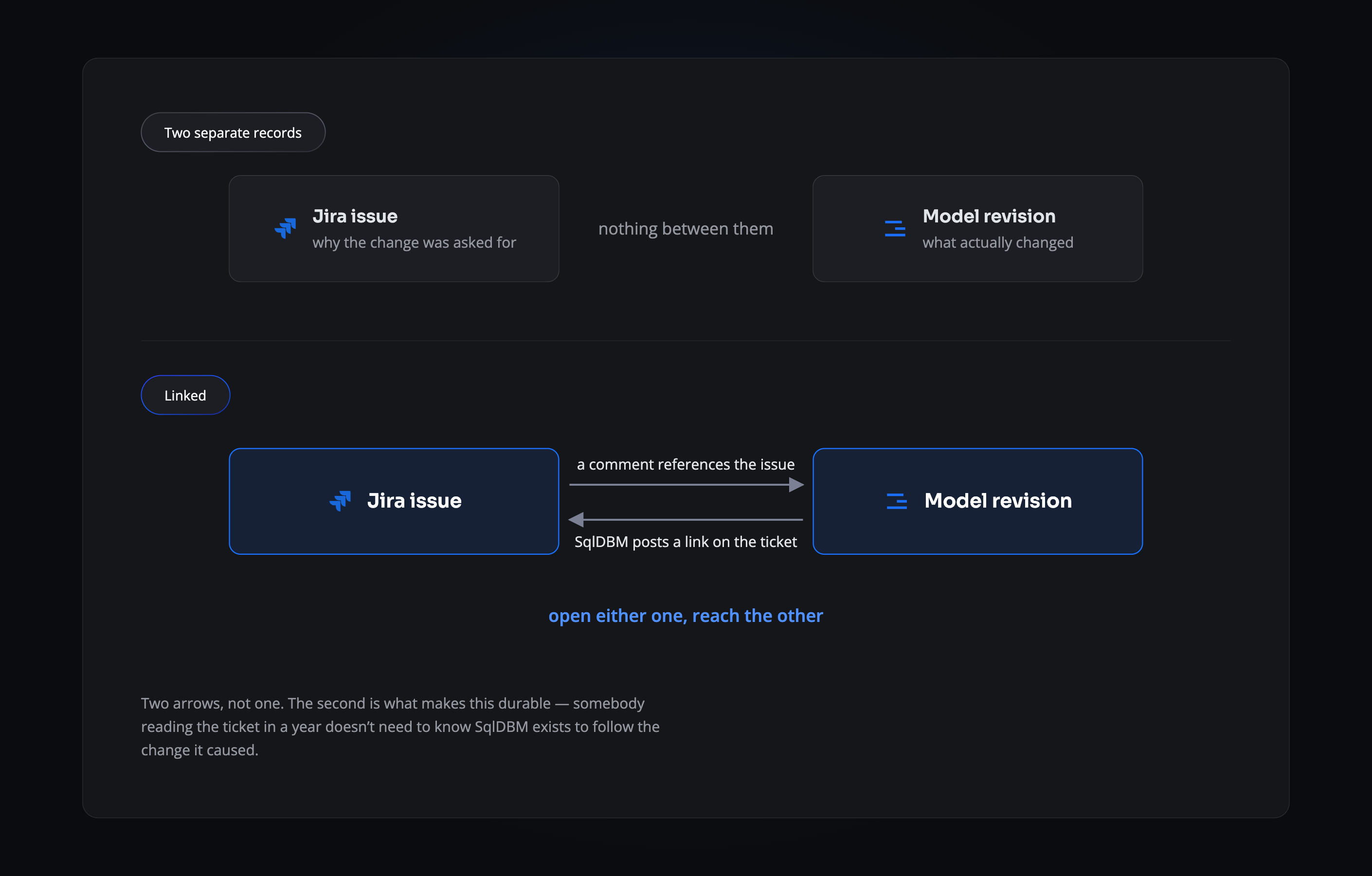
Every schema change carries the ticket that asked for it — and the ticket carries a link back.
THE PROBLEM
Nobody remembers why the column is there
The request was obvious at the time. Somebody needed product descriptions in the sales data. It became a ticket, then a conversation, then a change to a table — and then the ticket closed. A year on, the column is still there, nobody can say what depends on it, and it survives every cleanup because removing something unexplained feels riskier than keeping it. Multiply that by a few hundred columns and you have a warehouse nobody wants to touch.
- The reason closes with the ticket. The issue gets archived. The column stays forever.
- Nothing joins the two records. The revision and the request that caused it live in different tools with no thread between them.
- Cleanup stalls. Nobody deletes what they can’t explain, so the model only ever grows.
THE LINK
It works from either end
Right-click an object in SqlDBM, start a comment, and type “jira”. Search by ticket number or title, publish the comment, and the revision is linked to the issue. SqlDBM then posts a comment on the Jira ticket pointing back at the project and the exact revision. One action, two records, joined in both directions — and a revision can carry several tickets.
FROM THE JIRA SIDE
The ticket gets the link too
SqlDBM comments on the issue with a link to the project and the exact revision, signed by the person who made it. It sits in the activity feed alongside everything else on that ticket, so the change is findable by someone who only ever opens Jira.
Connecting Jira
1
Install from the Jira Marketplace
Find SqlDBM in the Apps menu and install it. You’ll need Jira administrator privileges to complete this.
2
Authenticate
Sign in with your SqlDBM user.
3
Choose the projects
Select which SqlDBM projects can reference Jira tickets. The integration sits at account level, so several projects share one setup.
4
Start referencing
Right-click an object, add a comment and type “jira”. Recent tickets appear as suggestions; keep typing to search by number or title.
THE PAYOFF
What you can answer a year later
Why this column exists
The issue that requested it is attached to the revision that created it, in both tools.
What shipped with a piece of work
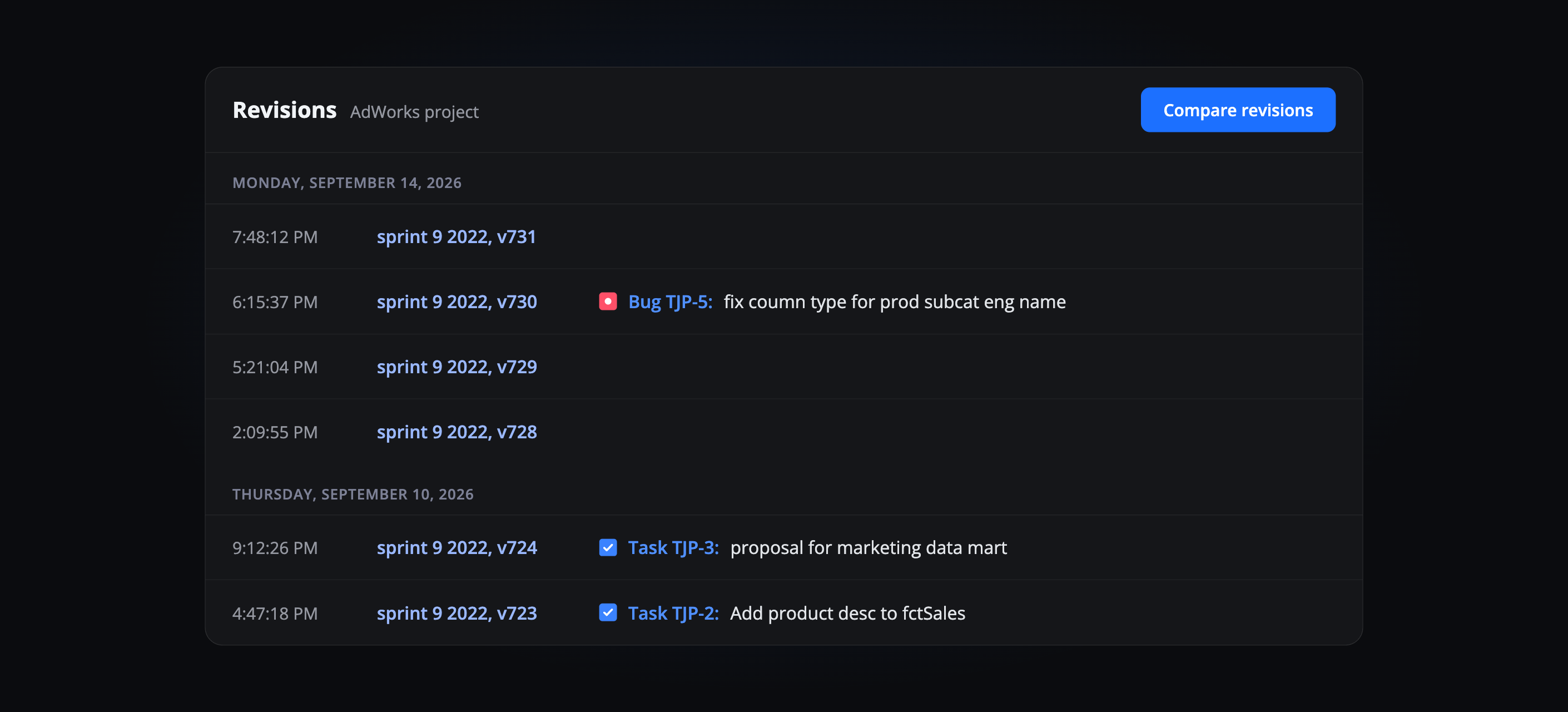
Filter the revisions list by Jira task and see every model change that went with it.
Who to ask
The ticket carries its reporter and its conversation; the revision carries its author. Both are one click from each other.
What’s safe to remove
A column with a ticket behind it is a different conversation from one with nothing behind it at all.
Related Integrations
Confluence
Embed the live model in the page that documents it.
Bitbucket
Push generated DDL and dbt YAML to your repository.
GitHub
The same push workflow, outside the Atlassian stack.
Configuring the app, linking tickets, filtering and jumping between tools.
Trusted by data teams globally
400,000+ users globally